Over the past week we have implemented the following changes to Assets.
Bug Fix
Entra Application Registrations now correctly allow new users to enrol in the target tenant.
Feature
Metadata up to a depth of one logical object has now been streamlined to an interactive UI element. This is now visible when making changes using the Query and Assets pages, and when creating new Assets, editing assets, and batch-editing within the query page.
We are looking to finalise the implementation of our JSON-API over the next month.
Amazon S3 presigned-urls allow arbitrary users to upload files to an S3 bucket. The following sections show how you can upload files if you are provided an Amazon S3 presigned-url.
Windows PowerShell
The Invoke-WebRequest commandlet can be used to make a PUT request and upload a file.
Replace the ‘FILE_YOU_WANT_TO_UPLOAD’ text with the relative path to the file. Replace ‘WHOLE_PRESIGNED_URL_LINK_HERE’ with the link you have been provided with.
If you attempt to use the above command in a regular Windows PowerShell session, you may run into errors. This is because ‘curl’ is a mapped alias of ‘Invoke-WebRequest’.
Hi all, this post walks through our intended features for Assets in the next three to six months. If any of these take your interest and you would like to be involved in their implementation, please reach out to our contact address. Additionally, if you have suggestions for future features, we’d love to hear it ✨.
Minor Features
The following minor features are slated for release in the next three to six months:
An identify page for identifying assets off their barcodes
Per-user pages with a history log
Deeper auditing capabilities
Major Features
The following major features are important to us:
A JSON-based API with per-user personal access tokens
Service account creation within Assets for API usage within an RBAC model
Potential Features
We are also invested in understanding if there is a use case for the following features. If any of these interest you, please reach out 📨.
Features:
Windows-based Service Agent for enrolling and capturing telemetry
Network scanning and inventorying for digital assets
Assets by Lapine Studios is fully released! We have just launched the full release of our asset register. We visited some of the features in our original post, but here is a bigger peek at what Assets can do for you.
Leverage Metadata
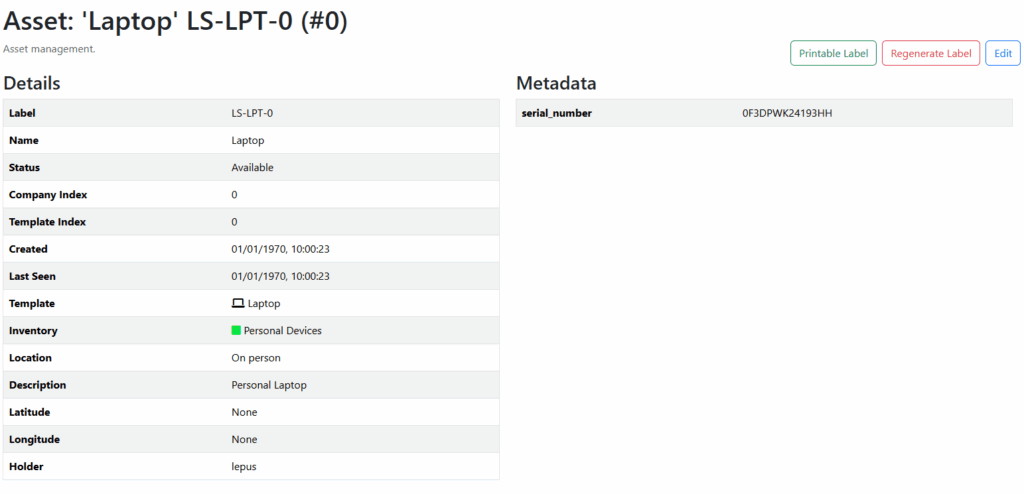
Assets lets you leverage asset metadata. Assets has several built-in ‘core’ attributes for assets: Status, Location, Holder, Template, and Inventory, but you can extend this as far as you want by adding metadata to your assets. You can add dates such for services, additional information such as serial numbers, and tracking information such as when they were last scanned.
Here’s what an asset page looks like in Assets:
Leverage Actions to Standardise Asset Creation
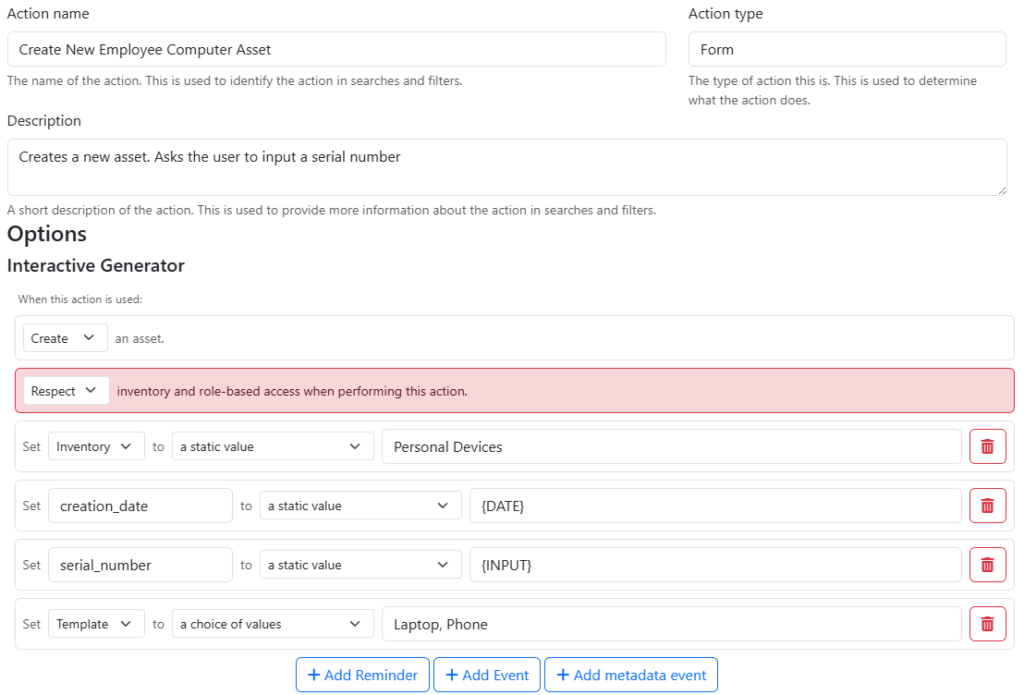
Actions allow creating assets with a defined set of properties, leveraging metadata and user input. By using Actions, assets created within Assets can be forced to have a consistent representation. New phones created using the action below will always have a ‘serial_number’ entered by the user, and always have the ‘creation_date’ field populated. Users using this form (with the correct permissions) can easily enrol new laptops and phones into the asset register.
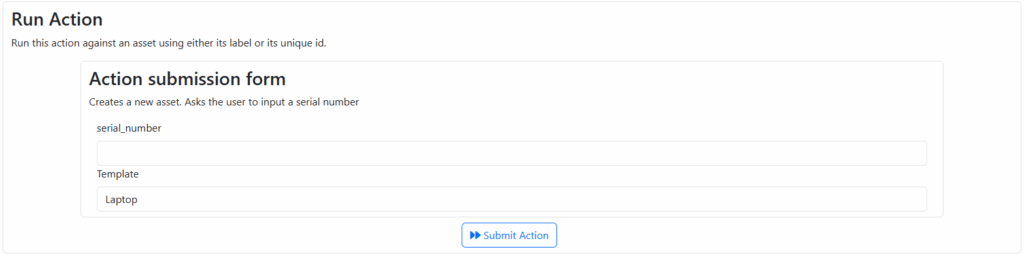
When users with permissions to use the action and the permission to create on the ‘Personal Devices’ inventory want to invoke this action, they get an easy-to-use form like the one below.
Invoking the actions creates an asset, using our label schema, in the appropriate inventory, and with the appropriate metadata.
Feature Roadmap
We are looking to increase the features for Assets and would love your help to decide what to focus on. Our current roadmap contains the following items:
Identify asset by scanning
Deeper audit capabilities
JSON-Based API access and API key management
Let us know what you would like to see next in Assets! If you have any questions, reach out to us at [email protected].
Assets by Lapine Studios is nearing its first full release! Assets is an Internet-based asset register system for the management of a retained inventory of assets. Here are some of its features!
Inventories
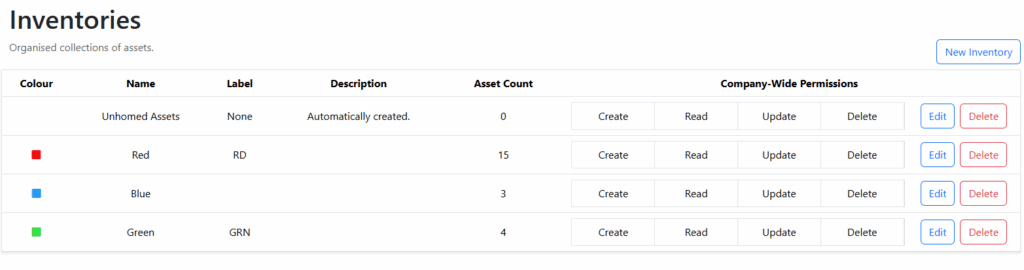
Inventories are groupings of assets. Asset access is controlled at the inventory level primarily, with permissions to create, read, update, and delete assets controlled by access over the inventory they exist in.
Templates
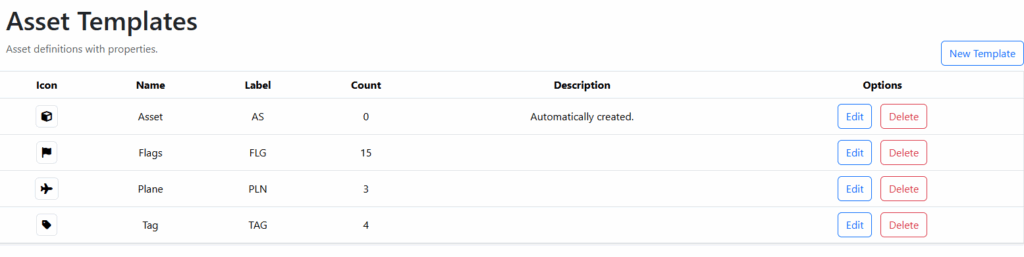
Asset templates allow assets to be grouped by their kind. An asset template may be a model of an asset such as ‘X-01’ or ‘X-02’, or a category of an asset such as ‘phone’ or ‘laptop’.
Query Engine
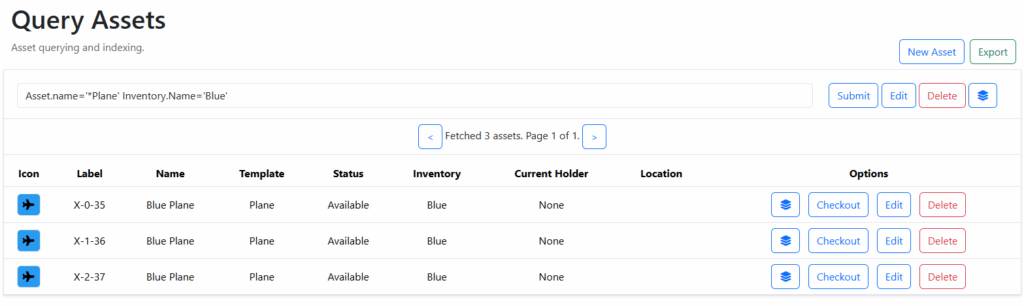
Assets comes with a query engine based upon set attributes, such as the asset creation date, its status, type, holder, and location. Custom metadata attributes can also be used to query assets and retrieve a specific subset of assets for deletion and editting.
Label Printing Engine
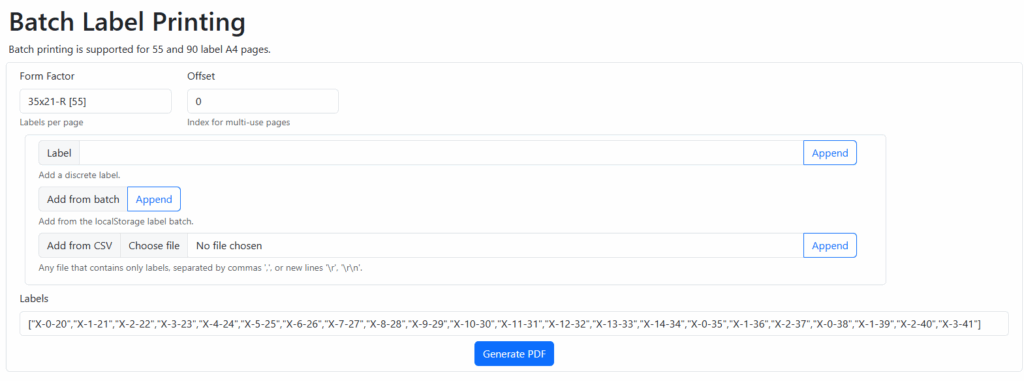
Batch printing is built into the application to allow for self-service printing of asset labels using code 128 barcode formatting.
Actions
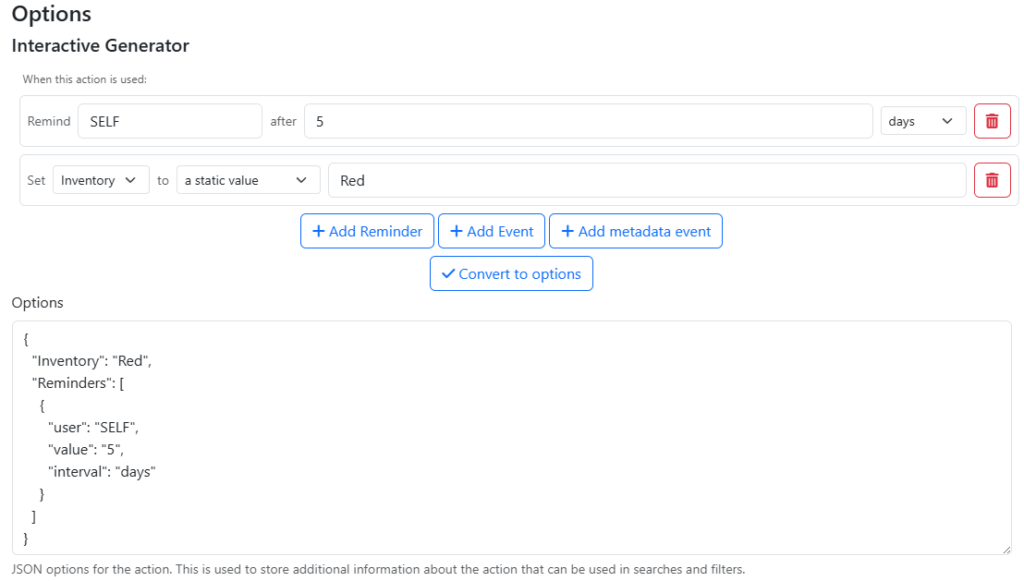
Assets allows for preconfigured actions to be performed against assets. Actions can be used with a mobile phone, tablet, or other smart device with a web browser to quickly change the state of multiple assets by scanning their barcodes.
We are very excited to release Assets soon. If you are interested in learning more about assets, please contact us at [email protected].